— 3 min read
Mastering the Linux Screen Command
A comprehensive guide to effectively using the screen command in Linux terminals.
Introduction
The screen command in Linux offers the ability to launch and manage multiple shell sessions from a single SSH session. This allows processes to be detached from a session and reattached later, ensuring continuous operation even if the connection drops.
Syntax
screen [-opts] [cmd [args]]
Options
-a: Forces all capabilities into each window's termcap.-A -[r|R]: Adapts all windows to the new display dimensions.-c file: Reads configuration from a specified file instead of.screenrc.-d (-r): Detaches an elsewhere running screen (and reattaches here).-dmS name: Starts as a daemon - Screen session in detached mode.-D (-r): Detaches and logs out remote (and reattaches here).-D -RR: Does whatever is needed to get a screen session.-e xy: Changes the command characters.-f: Turns flow control on,-fnfor off,-fafor auto.-h lines: Sets the size of the scrollback history buffer.-i: Interrupts output sooner when flow control is on.-l: Enables login mode (updates/var/run/utmp).-ls [match]: Displays all the attached screens.-L: Turns on output logging.-m: Ignores $STY variable, creates a new screen session.-O: Chooses optimal output over exact vt100 emulation.-p window: Preselects the named window if it exists.-q: Quiet startup. Exits with a non-zero return code if unsuccessful.-Q: Sends response to the stdout of the querying process.-r [session]: Reattaches to a detached screen process.-R: Reattaches if possible, otherwise starts a new session.-S sockname: Names the session .sockname.-t title: Sets window's name.-T term: Uses term as $TERM for windows instead of "screen".-U: Enables UTF-8 encoding.-v: Prints "Screen version 4.06.02 (GNU) 23-Oct-17".-x: Attaches to a not detached screen (Multi display mode).-X: Executes a screen command in the specified session.
Shortcut Keys
Ctrl-a + c: Creates a new window.Ctrl-a + w: Displays all open windows.Ctrl-a + A: Renames the current window.Ctrl-a + n: Goes to the next window.Ctrl-a + p: Goes to the previous window.Ctrl-a + Ctrl-a: Switches back to the last window used.Ctrl-a + k: Closes (kills) the current window.Ctrl-a + S: Splits the window horizontally. UseCtrl-a + Tabto switch.Ctrl-a + |: Splits the window vertically.Ctrl-a + d: Detaches the session.Ctrl-a + r: Reattaches to a session.Ctrl-a + [: Starts copy mode.Ctrl-a + ]: Pastes copied text.
Examples
Installing Screen
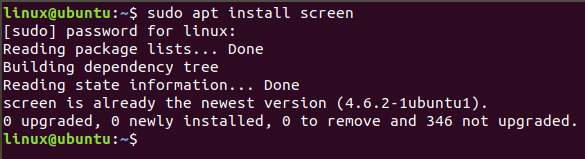
To install the screen command:
sudo apt install screen
Starting a New Session
Start a new window within screen:
screen

Naming a Session
Start a named session:
screen -S mysession

Listing Sessions
List all attached and detached sessions:
screen -ls

Detaching a Session
Detach a session:
screen -d 1643

Reattaching a Session
Reattach a session:
screen -r 1643

Additional Resources
- Manual Page: View detailed manual via:
man screen
- Help Page: Check basic help information:
screen --help
The screen command is a powerful tool that enhances productivity by allowing users to keep processes running in the background and manage them efficiently.