
A desk mascot for Windows
Hangabout
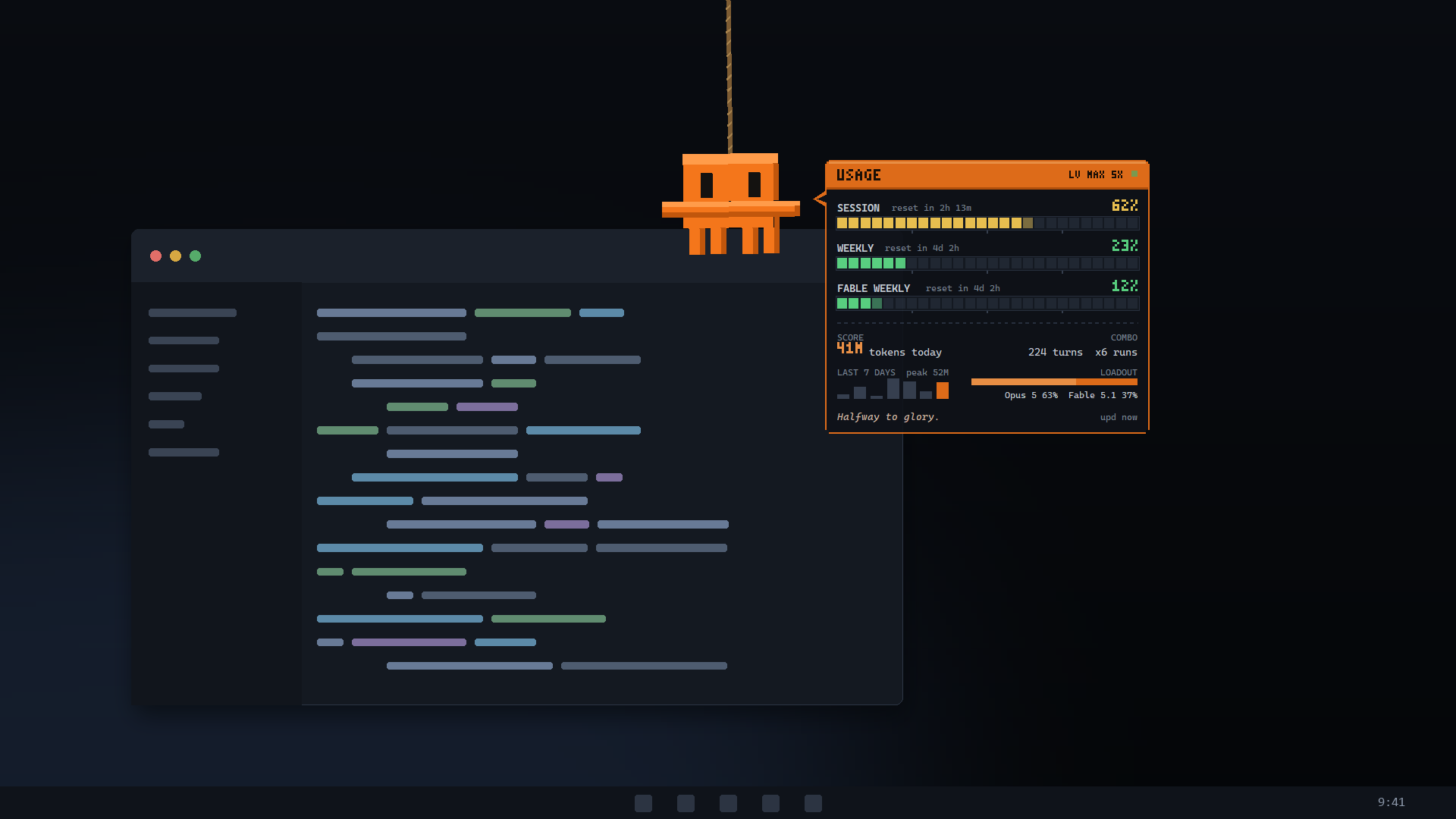
He hangs about at the top of your screen and keeps an eye on your Claude Code usage. Move the cursor up and he swings down on a rope holding a game-style HUD: health bars for your 5-hour and weekly limits, today’s tokens as your score.
What he does
He hangs from the top edge
Move the cursor up near the top of the screen and he swings down on a rope, blinks at you, and follows the pointer with his eyes. Move away and he scrambles back up out of sight.
A HUD, not a dashboard
Health bars for the 5-hour, weekly and model-scoped windows, today’s tokens as your score, the week as a bar chart, and floating +12% damage numbers for whatever moved since he last told you.
He has opinions
He squints when a window is getting warm, goes wide-eyed and sweats past ninety percent, and gives a happy squint after a reset. The one-liner under the bars changes with his mood.
Never in the way
The overlay is click-through: it takes no click, steals no focus and stays out of the taskbar. Parked off-screen he stops drawing altogether and costs nothing.
Arranged how you like
Setup mode drops the trigger region anywhere on any monitor, at any size and any hang depth, in one of three colours — and remembers it.
Nothing leaves the PC
He reads the sign-in and transcripts Claude Code already keeps on your disk. No account, no sign-up, no telemetry and no analytics.
On your screen
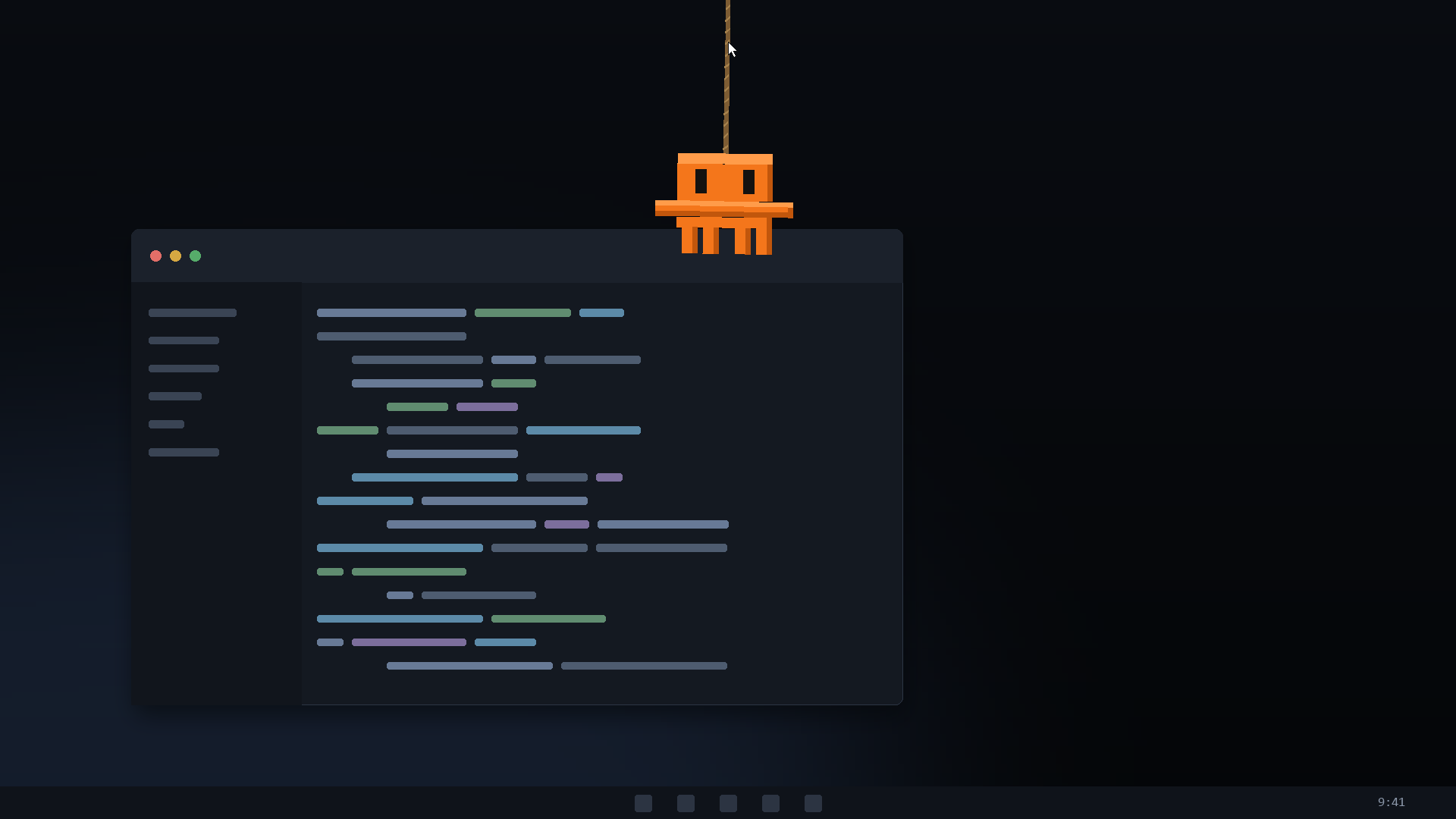
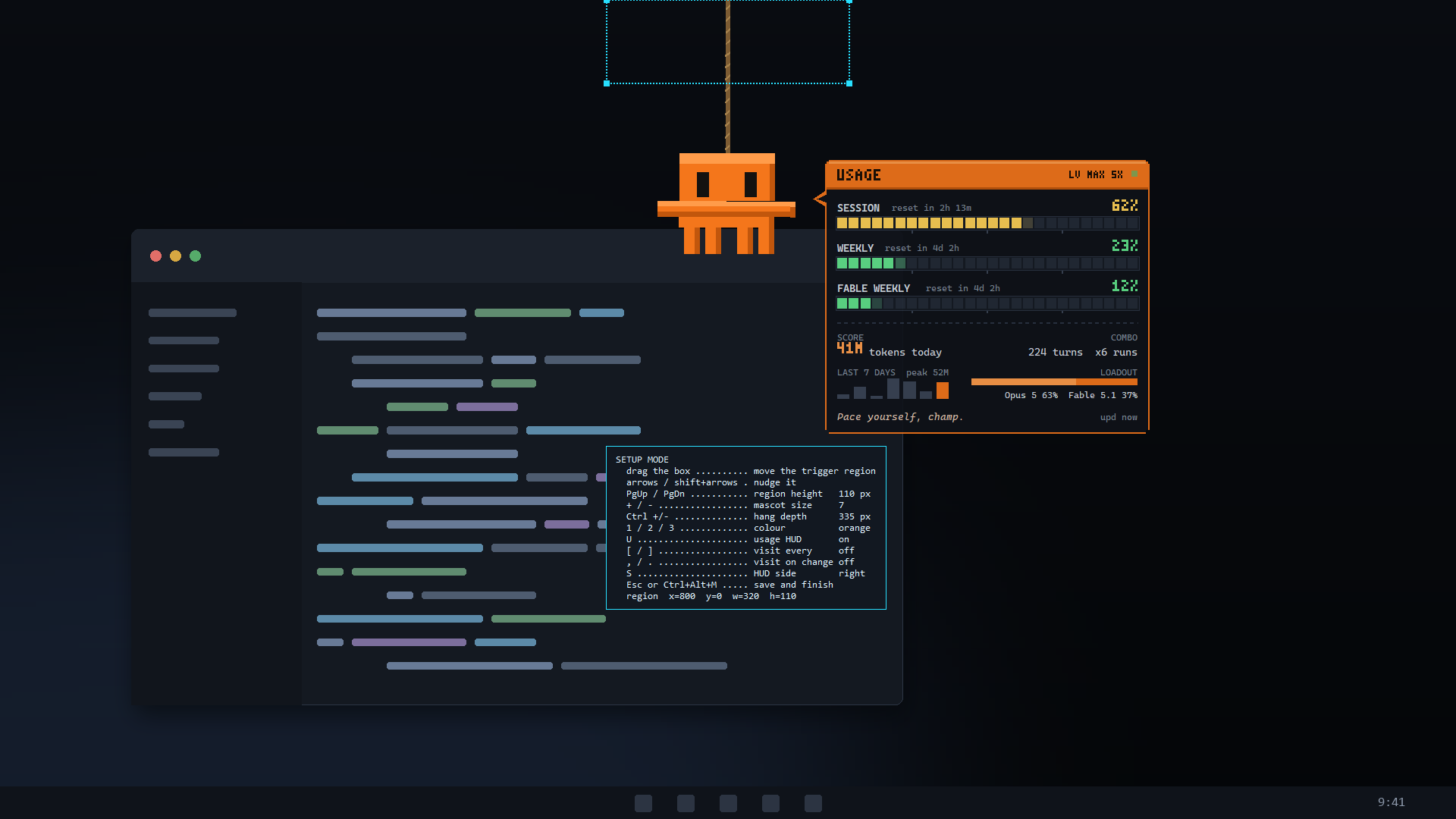
When he drops in
- on
- 10 points
- every 30 min
- on
- always
- Ctrl + Alt + M
- Ctrl + Alt + U
- Ctrl + Alt + Q
Privacy
Nothing leaves your PC
No account, no sign-up, no telemetry, no analytics, no advertising. He reads the sign-in and the transcripts Claude Code already keeps on your own disk, and makes exactly one request — to Anthropic, for your own rate-limit windows. Your conversations are never parsed, stored or sent anywhere.
Get Hangabout
Installing him from the Store adds a Start menu entry, a hangabout command in Windows Terminal, and a switch under Settings → Apps → Startup that waits for you to turn it on.
Get it from the Microsoft Store
- 10 build 17763 or later, x64
- 4 GB RAM
- 60 MB
- Claude Code, signed in
- Free